Business Process Automation Services: What's Included and How to Choose a Provider
By Muhammad Sami · Nov 8, 2026 · 6 min read
Most businesses have processes that eat hours every week without anyone deciding they should: copying order details between systems, chasing approvals by email, rebuilding the same report every Monday. Business process automation services exist to find that work and take it off your team's plate, reliably and with the right controls.
This guide explains what these services include, which processes are worth automating first, how a typical project runs and how to choose a provider in the USA or UK without paying for automation you do not need.
What business process automation services include
Business process automation (BPA) means using software to run repeatable, multi-step work across your tools with little or no manual effort. A BPA provider does more than set up a few app-to-app connections. A full service usually covers:
- Process discovery: interviewing the people who do the work, mapping each step and measuring how long it takes and how often it goes wrong.
- Prioritization: ranking candidate processes by time saved, error reduction, risk and effort to build.
- Solution design: choosing the right approach for each process, whether that is a no-code workflow tool, a custom integration, robotic process automation for legacy screens, or AI for unstructured inputs.
- Build and integration: connecting your CRM, ERP, accounting, helpdesk, ecommerce and document systems through APIs.
- Testing and controls: testing with real-world edge cases, adding approval steps, audit logs and alerts when something fails.
- Rollout and training: moving the team onto the new process and documenting how it works.
- Monitoring and support: keeping automations running as your tools, APIs and business rules change.
Rule-based automation vs AI automation
Not every process needs AI. Rule-based automation follows fixed logic: when an invoice is approved, create the payment record and notify finance. It is predictable, cheap to run and easy to audit, which makes it the right choice for structured data and clear rules.
AI automation is useful when the input is messy or the decision needs judgment: reading free-text emails, extracting fields from PDFs in different layouts, classifying support requests or drafting replies. It adds flexibility but also needs evaluation, confidence thresholds and human review for anything sensitive.
A good provider will mix the two and explain why. For a deeper comparison, read rule-based vs AI automation.
Which processes to automate first
The best first candidates share a few traits: they happen often, follow mostly consistent steps, touch more than one system and cause real pain when they go wrong. Common starting points include:
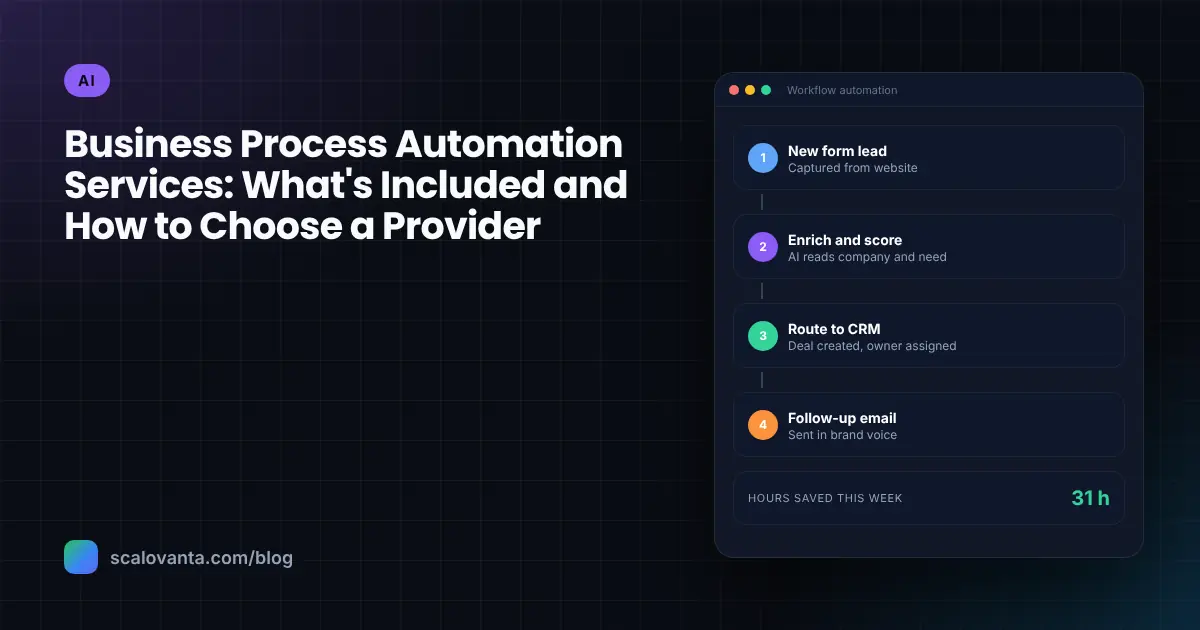
- Lead handling: capturing form and chat enquiries, enriching them, creating CRM records and routing them to the right salesperson.
- Order-to-invoice: syncing orders from Shopify or another storefront into accounting and fulfilment systems.
- Approvals: purchase requests, discounts, refunds and expenses routed to the right approver with reminders and an audit trail.
- Document processing: extracting data from invoices, purchase orders, contracts and onboarding forms.
- Customer onboarding: creating accounts, sending welcome sequences, assigning tasks and collecting documents.
- Reporting: pulling data from several tools into one dashboard instead of rebuilding spreadsheets each week.
If you are a smaller business looking for quick wins, our list of workflows to automate first is a practical place to start.
Processes that change every month, depend on unwritten knowledge or happen only a few times a year are usually poor first choices. Fix or document them first.
How a typical automation project runs
1. Discovery and process mapping
The provider shadows the work, documents each step and records volumes, handling time and error rates. This baseline is what you will measure results against later.
2. Business case and roadmap
You get a ranked list of opportunities with estimated effort, expected time saved and risks. Agree which one or two processes go first.
3. Design
The provider designs the future process, including what happens when data is missing, a system is down or an AI step is not confident. Exceptions are where most automations fail, so this step deserves time.
4. Build and test
Automations are built in a test environment and run against real historical examples, including awkward ones. Your team signs off before anything touches live data.
5. Pilot and rollout
A pilot with one team or a subset of volume shows whether the automation behaves as expected. Many teams run the old and new process side by side briefly before switching over.
6. Monitor and improve
Dashboards and alerts show volumes, failures and time saved. Regular reviews catch drift as your tools and rules change.
Tools: no-code platforms, custom code or both
No-code platforms such as Zapier, Make and Power Automate are quick to set up and work well for simple, lower-volume workflows. They can become expensive or fragile as volume and complexity grow, and logic spread across dozens of small workflows is hard to maintain.
Custom integrations, built with code and hosted in your own cloud, cost more up front but give you full control over error handling, security, performance and running costs. Many businesses use both: no-code for lightweight tasks and custom services for core, high-volume processes. Ask any provider which they recommend for each process and why.
How to choose a business process automation provider
Use these questions to compare providers:
- Do they start with discovery? A provider who quotes before understanding your process is guessing.
- Can they work across your actual systems? Ask about experience with your CRM, ERP, accounting and helpdesk tools, and how they handle systems without good APIs.
- How do they handle exceptions and failures? Look for retries, alerts, clear fallback steps and a named owner for each automation.
- What controls do they build in? Approval steps, role-based access, audit logs and, for AI steps, confidence thresholds and human review.
- How do they treat your data? Ask where data is processed and stored, whether AI providers can train on it and how they meet GDPR, UK GDPR or sector rules.
- How will results be measured? Agree baseline metrics such as hours spent, error rates or turnaround time before the build starts.
- Who owns and maintains the automations? You should own accounts, code and documentation, with a clear support plan if you want one.
Common mistakes to avoid
- Automating a broken process. Speeding up a bad process just produces mistakes faster. Simplify first.
- Skipping the people who do the work. They know the exceptions. Leave them out and the automation will miss them.
- No owner after launch. Automations need someone responsible for monitoring and changes.
- Using AI where a rule would do. AI adds cost and variability. Use it where it earns its place.
- Measuring nothing. Without a baseline, you cannot show the automation paid off.
How Scalovanta helps
Our AI Solutions team designs and builds workflow automation for businesses in the USA and UK, from approvals and data entry to document processing and reporting. We start with a use-case and ROI assessment, agree baseline metrics before building, and add human-in-the-loop controls wherever a decision needs a person. You get documentation, monitoring and training so your team stays in control.
Ready to find your first automation?
If repetitive work is slowing your team down, we can help you map the process, size the opportunity and build an automation that holds up in real use. Get in touch for a free consultation.